
From answering questions about your project to managing your infrastructure and writing your game code – Metaplay AI is a suite of AI tools that go as deep as you need them to.
Most game backends treat AI as an afterthought – a chatbot bolted onto the side, maybe some auto-generated docs. We think AI should go deeper than that. It should know your SDK inside and out. It should have access to your live environments. And eventually, it should write your game code.
That's what Metaplay AI is. Not one product, but a full suite of chatbots, MCP servers, and AI agents built directly into the platform – designed so that everyone on your game team, from producers to engineers, gets something useful out of it. Talk to Metaplay about your game and code, check logs, fix bugs, manage servers, and even write backend code – whatever your AI tooling and workflows.
Why Metaplay and AI are a natural fit
There's a reason AI works unusually well with Metaplay, and it comes down to a decision we made years ago: we ship everything as source code.
Our SDK is C# and TypeScript – not compiled binaries behind an API. Our documentation covers architecture, patterns, and operational guidance in depth. Our infrastructure exposes logs, metrics, and environment data through well-defined interfaces. AI agents thrive on this kind of structured, observable, well-documented system. When your backend is a black box, AI can only guess. When it's source code with comprehensive docs, AI can actually help.
That insight is what kicked off the whole effort. Teemu wrote about the technical backstory in Building an AI That Actually Knows Your Docs – how we turned 50MB of documentation, SDK code, and samples into a conversational AI that solves real production problems. What started as a documentation experiment has grown into something much bigger.
AI tools are only as good as the context you give them. We built MCP servers so your AI actually understands Metaplay.
Teemu Haila
Co-founder & CPO at Metaplay
Three layers: Ask, Connect, Build
We think about Metaplay AI in three layers, each going progressively deeper into your workflow.
Ask – Chatbots for anyone on your game team
The entry point. Zero integration. You open a chat, ask a question, get an answer.
MetaplayGPT is a custom ChatGPT with live access to all of Metaplay's documentation, SDK source code, sample projects, and blog posts – over 16x more information than just browsing the docs website. It works on your phone, in a browser tab, wherever ChatGPT runs.
Ask it whether Metaplay can handle your game's economy – virtual currencies, gacha with pity counters, seasonal shop rotations. Ask it to explain the guild framework architecture. Ask it which sample project covers matchmaking. It'll point you to the right docs, explain the patterns, and show you the relevant code – all in a conversation.
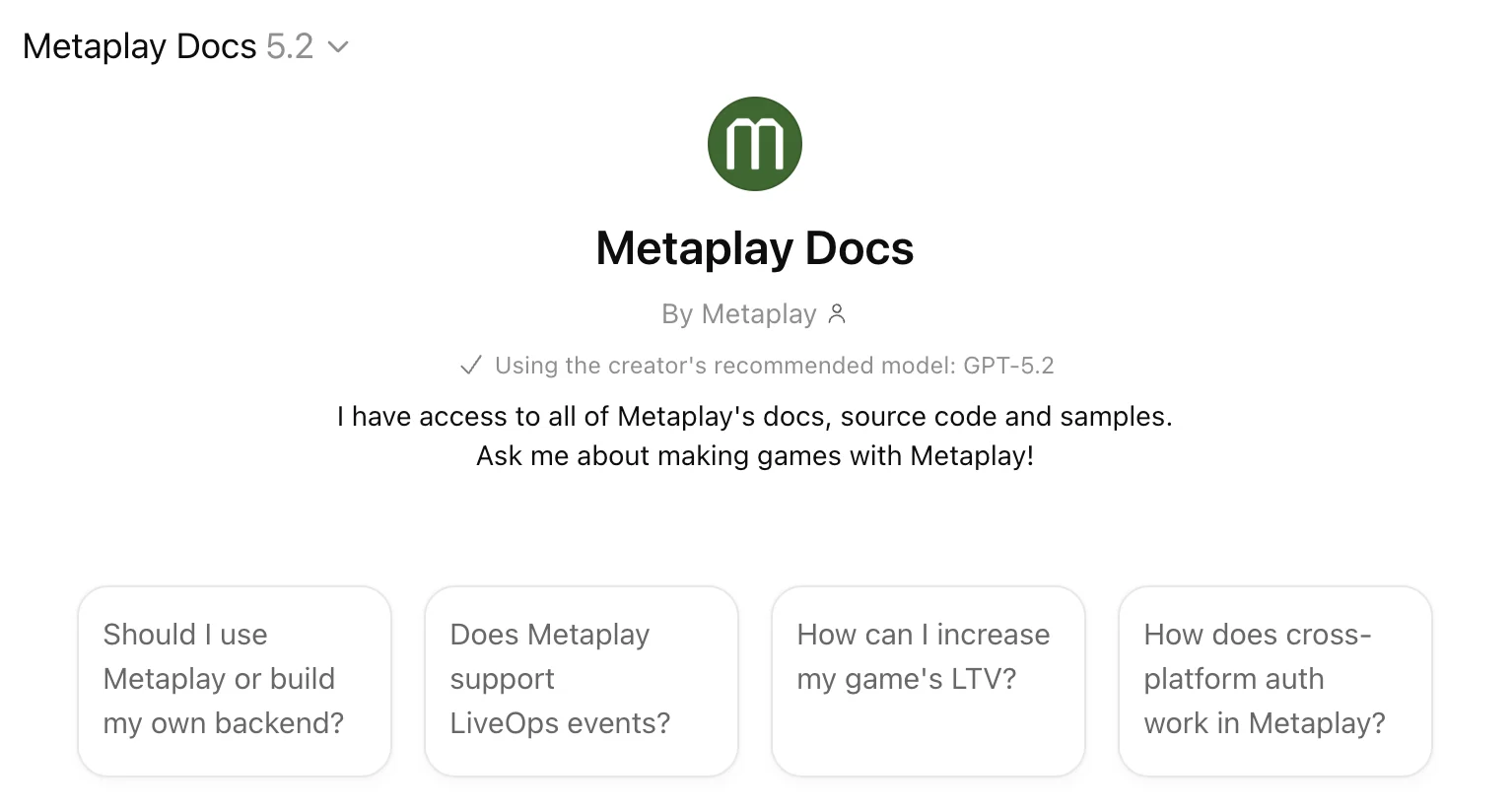
This layer is for everyone on the team. A game designer evaluating whether Metaplay fits her game's economy. A producer checking server health from her phone on the train home. Engineers exploring a design approach before writing code. New team members getting up to speed without interrupting a senior dev.
We're also building Ask Metaplay directly into metaplay.io – a website-based chat that surfaces the relevant documentation alongside every answer, so you can verify the details and share links with the team.
Connect – MCP servers for your AI coding tools
This is where things get interesting. The Ask layer gives you answers in a chat window. The Connect layer gives your existing AI tools – Claude, Cursor, Codex, Windsurf, VS Code, OpenCode, whatever you use – direct access to Metaplay's knowledge and your live infrastructure.
We built MCP servers for this. MCP (Model Context Protocol) is a standard that lets AI tools connect to external data sources. You add a URL, and your AI gains new capabilities. Setup takes about two minutes.
Metaplay Docs MCP connects your AI tools to the same documentation, SDK source, and samples that power MetaplayGPT. Full SDK source, docs, and sample projects – inside any MCP-compatible coding tool. When Claude Code is planning how to implement a feature, it can search the docs and find the right patterns without you having to copy-paste anything. It's the difference between an AI that knows C# and an AI that knows Metaplay C#.
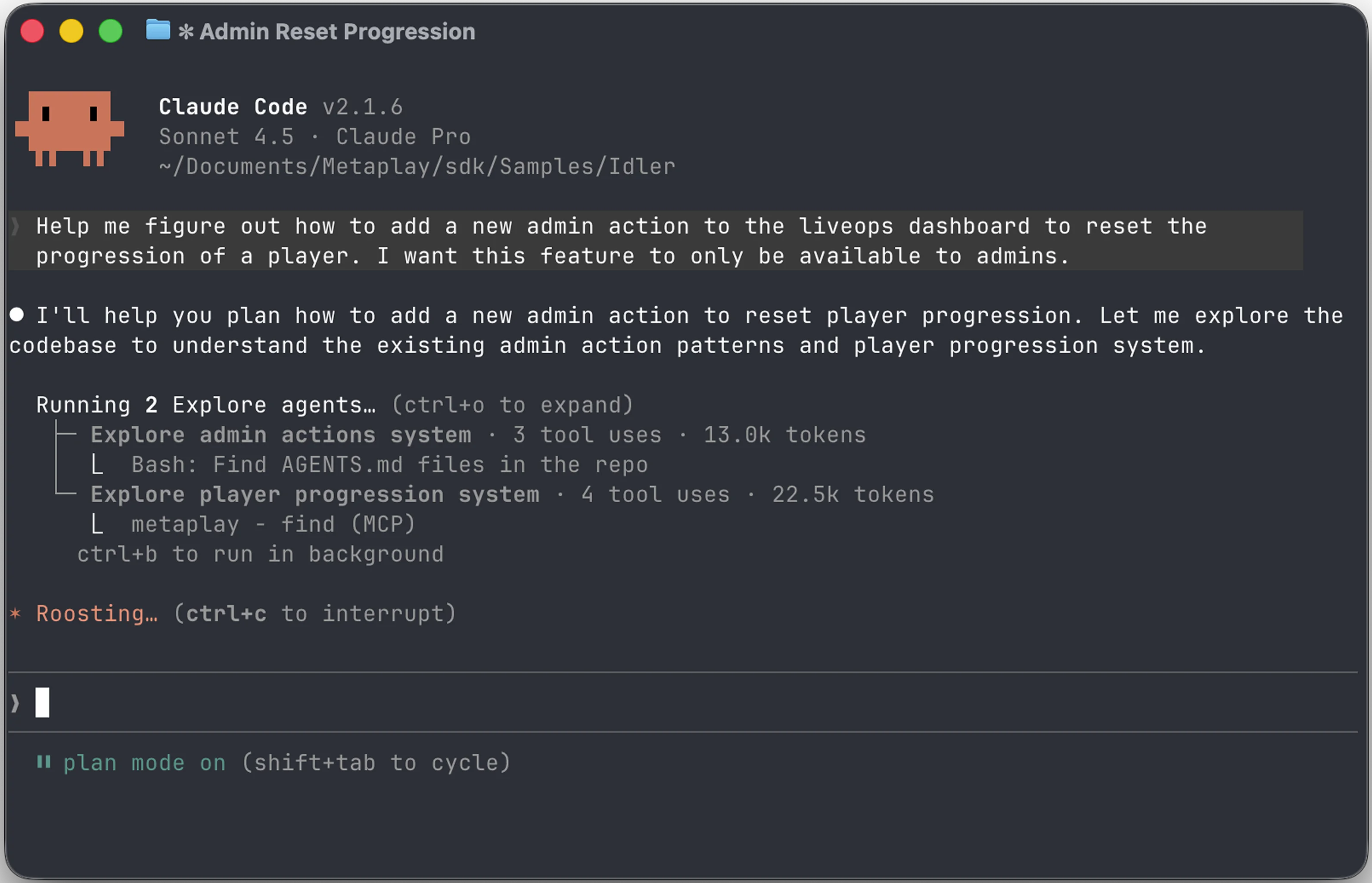
Metaplay Portal MCP goes further – it connects your AI tools to your actual live game environments. Production logs, metrics, environments, and role management – all through your AI tools. Your AI can inspect production errors, check CPU and memory metrics around a deployment, manage user roles across environments, and query your real operational data. This isn't reading docs about how something works. This is looking at how your game is actually running, right now.
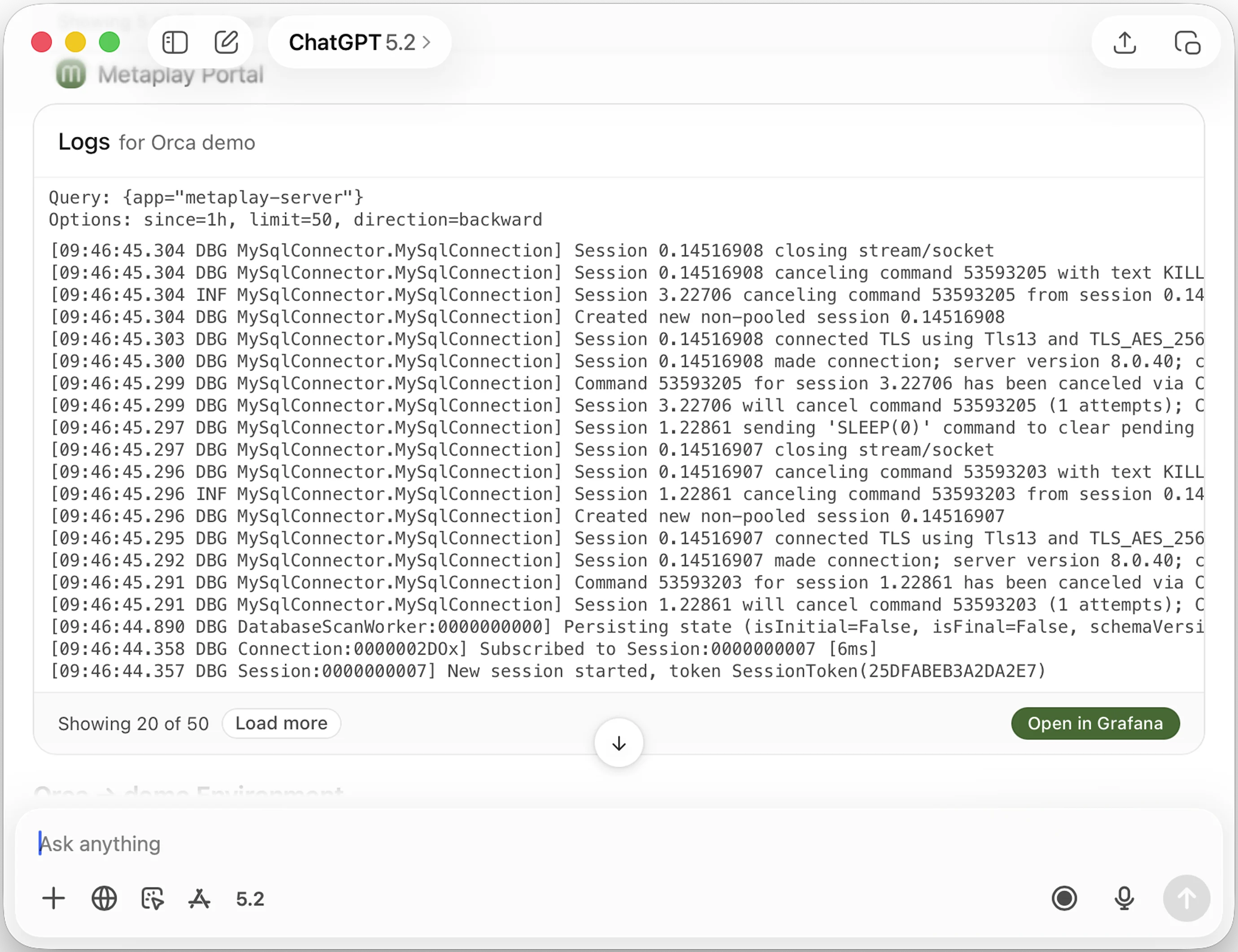
You can also connect both MCP servers directly in the Claude desktop and mobile apps – not just coding tools. That means a producer can ask Claude on her phone to check the latest production errors, or a tech lead can query deployment metrics from the Claude desktop app while reviewing a PR.
You can control access to each tool individually, and the Portal MCP respects your existing portal permissions. The AI gets the same access you have – nothing more.
Build – AI that writes your game backend code
The third layer is where the first two come together. An AI agent that has access to Metaplay's documentation, understands the SDK patterns, can see your live infrastructure, and uses all of that context to actually build game features.
Metaplay Agent is a Claude Code plugin that lets AI agents implement features using the Metaplay SDK – with full context of your codebase, docs, and live infrastructure. Tell it to implement a seasonal battle pass system, and it scaffolds the season configs, reward tiers, progression model, and LiveOps dashboard integration. Tell it to fix a timeout bug, and it reads the production logs, identifies the root cause, writes the fix, adds a regression test, and opens a PR.
It's early and experimental, but the direction is clear: AI that doesn't just answer questions or connect to data, but does the work.
We're not claiming this replaces engineers. It won't. But it changes what a small team can ship – and how fast a large team can move.
How it works in practice
These layers don't exist in isolation. Here's what it looks like when they chain together.
Scenario 1: Fixing a production bug
Producer spots the problem from her phone
On the train home, a producer opens ChatGPT and asks MetaplayGPT: "How's my server doing?" The AI pulls live metrics and spots a 12% spike in failed IAP transactions since the afternoon deploy. iOS receipt validation is timing out.
"Log it"
She replies "log it." The AI creates a Linear ticket with the error signature, 340 affected players, and links to the relevant Portal logs. Full context, zero copy-pasting.
Developer investigates with full context
Next morning, a developer picks up the ticket in Claude Code. The Portal MCP pulls the production logs and error traces automatically – no switching between tabs or dashboards. Root cause found: a missing timeout fallback introduced in the refactor.
Metaplay Agent writes the fix
The developer describes the fix and Metaplay Agent writes the code, adds a regression test, and opens a PR – all with full knowledge of the Metaplay SDK patterns.
Loop closed
PR merged, hotfix deployed. The producer gets a confirmation that the fix is live, along with the recovery rate. The whole loop, from detection to fix, happened across three layers of AI.
Scenario 2: Building a new feature
Developer researches the right approach
A developer wants to add guild gifting to the game. She starts by asking MetaplayGPT about best practices – gift limits, anti-abuse patterns, and how other Metaplay games handle social features. The AI points to server-authoritative PlayerActions for gift sending, GuildActions for receiving, and GameConfig for tunable limits.
AI analyzes the existing codebase
In Claude Code with MCP servers connected, the AI reads the project's existing guild system, identifies where gifting hooks in, and maps out the data model changes needed. It finds the extension points: GuildModel.PendingGifts, PlayerAction.SendGuildGift.
Full feature implemented with tests
Metaplay Agent builds the complete gifting system – actions, config, validation logic, abuse limits, and eight integration tests covering edge cases. One PR, ready for code review.
Post-deploy verification
After the feature goes live, the developer asks Claude Code to check production metrics via the Portal MCP. 1,247 gifts sent in the first four hours. Zero validation errors, zero abuse flags. Confidence without leaving the editor.
Where we go from here
The Ask layer is live today. MetaplayGPT has been in use with customers for months, and it's genuinely useful – not a demo, a tool people reach for daily.
The Connect layer is live. Both the Docs MCP and the Portal MCP are available now. If you're already using Claude Code, Cursor, Codex, or any MCP-compatible tool for game development, adding Metaplay context to your workflow takes about two minutes.
The Build layer is the frontier. Metaplay Agent is in early development, and we're working with select studios to push the boundaries of what's possible. If you're interested in being part of that, reach out.
We're also working on ChatGPT MCP connector support and a Claude Marketplace listing – so wherever AI tools go next, Metaplay will be there.
No other game backend offers AI integration at this depth. Others might bolt on a chatbot. Metaplay AI goes from docs to infrastructure to code – because we think that's what AI for game development should actually look like.
Get started
- Try MetaplayGPT – Open in ChatGPT (free, no setup)
- Connect your AI tools – Set up the MCP servers
- Request Metaplay Agent access – metaplay.io/ai/metaplay-agent (early access)
- Read the technical backstory – Building an AI That Actually Knows Your Docs
- Talk to us – Get a demo or join our Discord
FAQ
How is Metaplay AI different from a chatbot bolted onto a game backend?
Metaplay AI operates in three layers: a chatbot (MetaplayGPT) for answering SDK and documentation questions, MCP servers that give AI coding tools like Claude Code and Cursor direct access to Metaplay's docs and your live environments, and Metaplay Agent which writes and tests server-side game code. The depth is possible because Metaplay ships everything as source code – AI tools can read, reason over, and modify the actual SDK rather than working around a black-box API.
What AI coding tools does Metaplay support?
Metaplay's MCP servers work with Claude Code, Cursor, Codex, Windsurf, VS Code, OpenCode, and any other tool that supports the Model Context Protocol. The chatbot is available in ChatGPT and the Claude apps.
What is an MCP server and how does it work with Metaplay?
MCP (Model Context Protocol) is a standard that lets AI tools connect to external data sources. Metaplay provides two MCP servers: one for documentation and SDK source code, and one for your live game environments (logs, metrics, role management). You add a URL to your AI tool and it gains access in about two minutes.
Is Metaplay AI free to use?
MetaplayGPT and the Docs MCP are free and available to everyone – no account needed. The Portal MCP requires a Metaplay account since it connects to your live environments. Metaplay Agent is currently in early access preview.
Can AI access my production game data?
The Portal MCP connects to your Metaplay environments and respects your existing portal permissions. The AI gets the same access you have – nothing more. You can control access to each tool individually.